
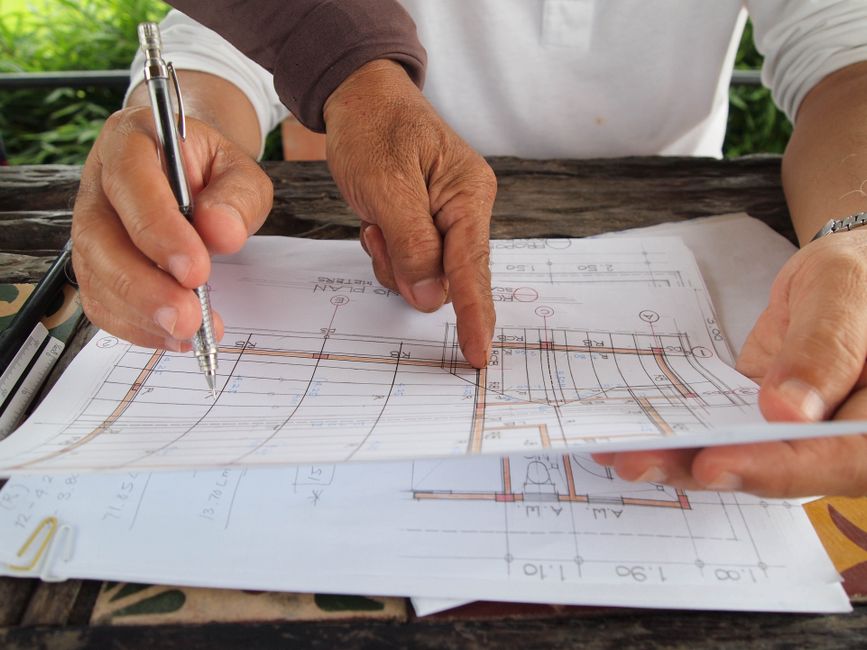
Renovating Your Website? How to Avoid a Digital Demolition Disaster
Just like a home, a website needs a renovation every few years to stay modern, functional, and valuable. A fresh coat of paint, an updated layout, and new features can dramatically increase its appeal and utility. But a poorly planned project can lead to a full-blown demolition disaster, costing you traffic, customers, and money. A broken link here, a lost page there, and suddenly your prime digital real estate is a vacant lot with a “404 Not Found” sign out front.

At primehomesusa.com, we specialize in building and renovating high-value properties, and we know that a successful project—whether physical or digital—starts with a solid blueprint. Without one, you risk structural failures that can compromise the entire investment. This guide provides that blueprint for your website renovation, helping you avoid common pitfalls and ensure your new digital “property” is built to last and deliver results.
Key Takeaways
- A website renovation requires a strategic plan focused on measurable business goals, not just aesthetics.
- Preserving your existing SEO equity through a meticulous 301 redirect map and content migration strategy is non-negotiable for maintaining search engine rankings.
- Prioritizing user experience (UX) and adopting a mobile-first design philosophy is essential for engaging and converting modern visitors.
- A successful launch is not the end of the project; continuous monitoring, analysis, and optimization are key to maximizing your long-term return on investment.
TL;DR
A website renovation is a high-stakes project that can either significantly boost your business or destroy your online presence. To avoid a “digital demolition,” you must start with a clear strategy, meticulously plan to preserve your SEO rankings, design for your user’s experience, and test everything thoroughly before you launch.
A successful website renovation begins with a clear strategy, not just a new design.
A beautiful new website that doesn’t achieve your business objectives is a failed investment. It’s the equivalent of building a stunning custom home with no bedrooms—it might look impressive, but it fails its fundamental purpose. Before you look at a single color palette or font, you must define what success looks like by creating a strategic blueprint that will guide every decision in the renovation process.
Audit Your Current “Property”
Before a single wall comes down in a home renovation, a thorough inspection is performed. The same principle applies here. You need a data-driven understanding of your current website’s strengths and weaknesses.
- Analyze the Data: Use tools like Google Analytics to identify what’s working and what isn’t. Which pages receive the most traffic? What blog posts keep users engaged the longest? Where are visitors dropping off before converting? This data is the foundation of your blueprint.
- Conduct a Content Inventory: You need a complete list of every single page on your site. Reviewing your sitemaps, such as your
post-sitemap.xmlfor articles and yourpage-sitemap.xmlfor core service pages, is an excellent starting point. This inventory allows you to make informed decisions about what content to keep, what to update, and what to demolish. - Gather User Feedback: Your analytics tell you what users are doing, but not why. Use surveys, feedback forms, or even informal interviews with customers to understand their pain points with your current site. Is the navigation confusing? Is information hard to find? This qualitative feedback is invaluable.
Define Your Renovation Goals
Every successful project has a clear objective. Are you renovating your kitchen to improve workflow or to increase your home’s resale value? Similarly, your website renovation must be tied to specific business outcomes.
- Set SMART Goals: Vague goals like “improve the website” are useless. Your objectives must be Specific, Measurable, Achievable, Relevant, and Time-bound.
- Example Goal: Instead of “get more leads,” a SMART goal would be: “Increase qualified lead submissions through our main contact form by 25% within three months of the new site launch.” This gives you a clear benchmark for success. Other goals might include reducing bounce rate by 15%, increasing average session duration, or boosting e-commerce conversion rates.
Know Your Ideal Visitor (or “Homebuyer”)
You wouldn’t design a home without knowing who will live in it. A family with young children has different needs than a retired couple. Likewise, you must have a crystal-clear picture of your target audience.
- Revisit Personas: Who are you building this website for? Dust off your ideal customer personas. What are their goals, challenges, and motivations? What problems are they trying to solve when they land on your site?
- Map the User Journey: Chart the ideal path you want a visitor to take. For example, a potential client might land on a blog post from a Google search, navigate to a related service page, and then move to the contact page. Your new design should make this journey as seamless and intuitive as possible.
Neglecting technical SEO during a renovation can erase your existing search engine rankings overnight.
Your website’s history with Google is one of its most valuable assets; demolishing it is the most common and catastrophic mistake in a website redesign. Over years, you’ve built authority and rankings for key pages. If you launch a new site without telling search engines where everything went, all that equity vanishes. You must create a detailed plan to tell search engines exactly how your old site maps to your new one.
Create a 301 Redirect Map
This is the single most critical technical task in a website renovation. Think of it as filing a permanent change-of-address form with the post office for every single page on your site.
- Definition: 301 Redirect: A permanent redirect that sends users and search engine bots from an old URL to a new one. It signals that a page has moved for good and passes the majority of the old page’s “link equity” or ranking power to the new location.
- The Process: Create a spreadsheet that lists every URL from your old site in one column and its corresponding new URL in the second column. This map is non-negotiable. Failing to implement it will result in “404 Not Found” errors, which frustrate users and tell Google that your valuable content has disappeared, causing your rankings to plummet. Prioritize your highest-traffic pages and those with the most valuable backlinks first.
Plan Your Content Migration
Moving content isn’t just about copying and pasting text. All the underlying SEO elements that help your pages rank must come along for the ride. For a deeper dive into ensuring flawless technical deployments, understanding concepts like idempotent SEO can provide a state management protocol that prevents errors.
- Migrate All Metadata: This includes your SEO titles, meta descriptions, and image alt text. These elements are crucial for how your pages appear in search results and how search engines understand your content.
- Update and Improve: A renovation is the perfect opportunity to improve your content. Update outdated information, expand on thin articles, and optimize your pages for new keywords you discovered during your strategic planning phase.
Build for Speed and Performance
A slow website is a renovation failure, no matter how beautiful it is. Page speed is a confirmed ranking factor for Google and has a massive impact on user experience. According to data from Google, the probability of a user bouncing increases by 32% as page load time goes from 1 second to 3 seconds.
- Optimize Everything: Compress all images before uploading them to the new site. Use modern image formats like WebP.
- Leverage Caching: Implement browser caching so that repeat visitors’ browsers don’t have to re-download every asset on your site.
- Choose Quality Hosting: Your web host is the land your digital property is built on. A cheap, slow hosting plan will undermine all your other performance optimization efforts.
Your new website’s design must prioritize user experience (UX) to convert visitors into customers.
While visual appeal—your site’s “curb appeal”—is important for making a good first impression, the true value of a website lies in its usability and functionality. If visitors can’t easily find what they’re looking for and take the action you want them to take, your beautiful design has failed. The goal is to create a space that is not only attractive but also intuitive and effortless to navigate.
Adopt a Mobile-First Approach
The majority of web traffic now comes from mobile devices. In the first quarter of 2024, mobile phones generated 60.66 percent of total website traffic worldwide. Designing for the smallest screen first is no longer optional; it’s a requirement.
- Design for Thumbs: Ensure buttons and links are large enough to be easily tapped. Text must be readable without the need to pinch-and-zoom.
- Simplify for Mobile: Complex menus and crowded layouts that work on a desktop will feel cluttered and overwhelming on a phone. Mobile navigation should be simple, often tucked into a “hamburger” menu.
Simplify Your Navigation
Your website’s main menu is its floor plan. It should give visitors an immediate and clear understanding of the layout and where to find key “rooms” like your services, about page, or contact information.
- Be Logical and Predictable: Use clear, common language for your menu items. Avoid clever or jargon-filled labels that might confuse visitors. A user should be able to predict what they will find when they click on “Services” or “Portfolio.”
- Limit Your Options: Too many choices can lead to decision paralysis. Aim to keep your main navigation to a maximum of 5-7 top-level items. Anything more can be organized into sub-menus.
Design Clear Calls-to-Action (CTAs)
Every page on your website should have a purpose and guide the user toward a next step. Your CTAs are the signposts that direct this journey.
- Use Action-Oriented Language: Your buttons should tell users exactly what will happen when they click. Instead of “Submit,” use “Get a Free Quote.” Instead of “Learn More,” try “Download the Full Guide.”
- Make Them Stand Out: CTA buttons should be visually distinct from other elements on the page. Use a contrasting color, make them large enough to be noticed, and place them where a user’s eye will naturally fall.
Building a Website is Like Building a Home: The primehomesusa.com Philosophy
Just as you wouldn’t build a house without a solid foundation and a detailed blueprint, you shouldn’t renovate your website without a solid plan. At primehomesusa.com, our expertise in meticulous planning, quality construction, and attention to detail in the physical world translates directly to the principles of a successful digital renovation. We see your website not just as a marketing tool, but as a valuable digital asset.
The Blueprint (Strategy & SEO)
A home’s blueprint ensures structural integrity, proper flow, and that every room serves its purpose. Your website’s strategic and SEO plan serves the same function. It guarantees your site is visible to search engines and that its structure logically guides users toward your business goals, ensuring its long-term digital integrity.
The Foundation (User Experience)
A weak or cracked foundation compromises the entire house, no matter how beautiful the finishes are. A poor user experience is your website’s weak foundation. If the site is slow, confusing, or broken on mobile, visitors will leave in frustration, and the entire investment is compromised.
The Final Walk-Through (Testing & Launch)
Before handing over the keys to a new home, we conduct a meticulous final walk-through to catch any imperfections, from a misaligned cabinet door to a faulty light switch. You must rigorously test every link, form, and function on your new website across multiple browsers and devices to ensure a flawless user experience from the moment you launch.
A successful launch is a milestone, not the finish line.
The work isn’t over once the new site is live. Handing over the keys is just the beginning of the home’s life, and launching your site is just the beginning of its new digital life. This is when you begin the crucial phase of monitoring performance, gathering data, and making iterative improvements to maximize the return on your investment.
Monitor Your Technical Health
Immediately after launch, you need to act as a property manager, checking to make sure all systems are running correctly.
- Check for Errors: Use Google Search Console to monitor for any crawl errors, 404 pages you may have missed, mobile usability issues, or security problems. Addressing these quickly is critical to maintaining a healthy relationship with Google.
- Keep an Eye on Speed: Run regular speed tests using tools like Google PageSpeed Insights. New plugins or large images added by your team post-launch can inadvertently slow the site down.
Analyze User Behavior
Now you can see if your new blueprint is working as intended. Dive back into your analytics to see how users are interacting with the new design.
- Compare Before and After: Are users following the journeys you mapped out? Has the bounce rate on key pages decreased? Most importantly, are your conversion goals being met?
- Use Heatmaps: Tools like Hotjar or Crazy Egg can generate heatmaps that visually show you where users are clicking, how far they are scrolling, and what elements they are ignoring. This provides powerful insights for future optimizations.
Gather Feedback and Iterate
The best source of information is your users. Listen to what they have to say about the new experience.
- Ask for Input: Consider adding a simple feedback form or running a post-launch survey asking users what they think of the new design and if they encountered any issues.
- Plan for Phase Two: A website is never truly “finished.” Use the data and feedback you’ve collected to create a roadmap for future updates, new features, and content development. Continuous improvement is the key to a long-lasting, high-performing digital asset.
Building a Digital Asset That Lasts
Renovating your website is a powerful opportunity to rebuild your most important marketing asset from the ground up. By treating it with the same strategic foresight and meticulous planning as a major home renovation—focusing on a solid blueprint, a strong foundation, and a flawless final product—you can avoid a digital demolition disaster. A well-executed renovation will not only look great but will also serve your business goals for years to come, proving to be a valuable and rewarding investment in your company’s future.